

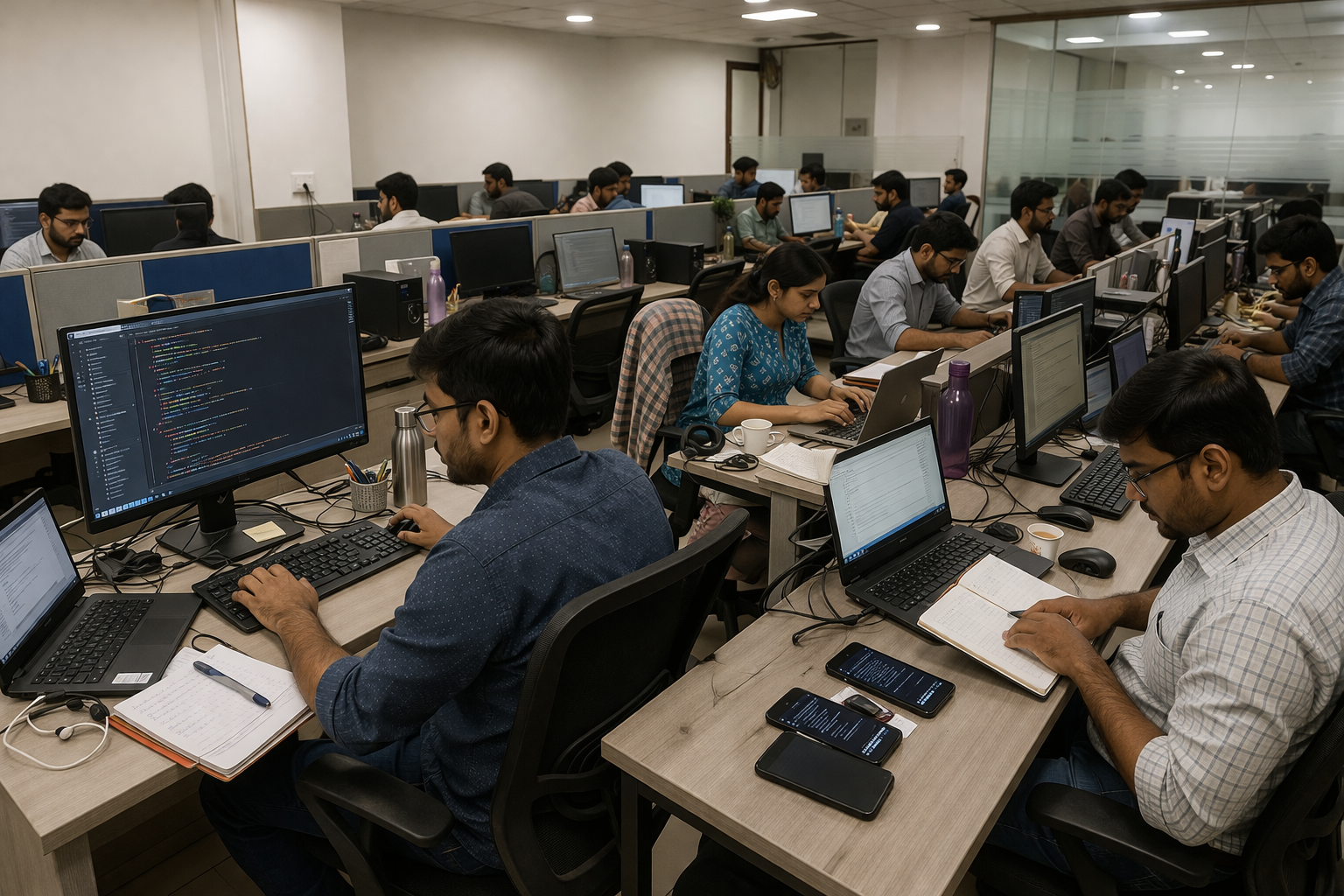



The software still opens every morning.
Orders are processed. Finance closes the month. Employees know which buttons to press and which screens to avoid. Nobody is asking for an emergency replacement.
That is exactly why the conversation about modernization keeps getting postponed.
Then a routine integration takes months. A developer who understands a critical module leaves. A security update breaks an old dependency. The business requests a relatively small workflow change, and the estimate comes back much larger than expected.
The application is still working. Keeping it useful is getting harder.
Legacy application modernization services are worth evaluating when a functioning system becomes increasingly expensive, risky or difficult to change. Warning signs include unsupported technology, fragile integrations, slow releases, scarce technical skills and growing security constraints. Modernization does not automatically mean replacing the whole application. Some components may be retained, while others are rehosted, replatformed, refactored or rebuilt according to business need.
Old Software Is Not Automatically Bad Software
Age alone is a poor reason to replace a business application.
There are old systems doing uncomplicated jobs reliably every day. They have predictable workloads, knowledgeable users and little need for new integration or functionality. Rewriting one simply because the technology stack is unfashionable may create more risk than value.
The more useful question is what happens when the business asks the system to change.
A healthy application should not make every new requirement feel dangerous.
Perhaps a new customer portal needs access to information locked inside an old database. Maybe a warehouse system still depends on nightly file transfers because it cannot expose modern APIs. A release that once took a morning now requires a weekend maintenance window and several people who understand undocumented dependencies.
None of those situations means the application has suddenly failed.
They show that the cost of change is moving in the wrong direction.
The U.S. Government Accountability Office has documented similar issues in critical legacy environments, including unsupported technology, cybersecurity exposure, maintenance difficulty and dependence on specialized skills. Those examples come from government systems, but the underlying engineering risks are recognizable in commercial applications as well.
The Hidden Bill Rarely Says “Legacy Software”
Legacy-system cost tends to arrive through several budgets rather than one obvious invoice.
A development team spends two weeks tracing a dependency before changing a small feature. Operations keeps an old server alive because one application cannot move. A business analyst manually reconciles data after an integration fails. Testing grows slower because nobody trusts the automated coverage around a critical module.
Each problem may look manageable in isolation.
Together, they change the economics of the application.
Maintenance starts consuming change capacity
This is one of the first symptoms technology leaders notice.
Engineers spend more time protecting the existing system and less time improving it. Small releases need increasingly broad regression testing. Local development environments are difficult to reproduce. Old frameworks constrain the libraries or tooling that teams can introduce.
The visible cost is maintenance effort.
The harder cost to see is the roadmap work being delayed because experienced engineers are occupied keeping yesterday's architecture stable.
Knowledge becomes concentrated
A long-lived system often contains years of business decisions that never made it into documentation.
One developer knows why a database procedure behaves strangely on the last working day of the month. Another understands the batch process that finance cannot afford to lose.
The organization may think it owns the application.
Operationally, some of the application lives in people's memories.
That becomes a modernization concern when replacing those skills is difficult or when fear of losing institutional knowledge prevents sensible changes.
Integrations become disproportionately expensive
Modern business systems rarely operate alone.
CRM, ERP, identity systems, analytics platforms, customer applications and external partners all need to exchange information.
An application designed before APIs became a normal part of enterprise architecture may need adapters, scheduled exports or custom middleware every time something new connects to it.
The result is rarely one catastrophic integration failure.
It is an expanding layer of workarounds that somebody has to understand and maintain.
Use a Modernization Pressure Test Before Choosing a Solution
A modernization assessment should determine whether pressure is genuinely building around the application before anyone recommends a new architecture.
One practical way to do that is to assess five areas.
| Pressure Area | What to Examine | A Warning Sign |
|---|---|---|
| Maintainability | Release effort, testability, code complexity | Small changes regularly require large regression efforts |
| Supportability | Vendor support, frameworks, infrastructure, skills | Critical components or expertise are disappearing |
| Connectivity | APIs, data exchange, external systems | Every new integration requires custom workarounds |
| Risk | Security, resilience, recovery, compliance controls | Known risks are increasingly difficult to remediate |
| Business constraint | Product and operational change | Teams avoid useful improvements because the system is too difficult to alter |
One “high” score does not automatically justify a rebuild.
Several high-pressure areas appearing together deserve a serious modernization discussion.
This matters because modernization programmes sometimes begin backwards. The organization decides that it wants microservices, containers or cloud migration, then tries to make the business case fit the technology choice.
A better sequence is:
Identify the pressure → understand the dependencies → choose the intervention.
Security Problems Usually Accumulate Rather Than Announce Themselves
An old application is not inherently insecure.
The real concern is whether its security posture can still be maintained effectively.
A supported framework can be patched. A maintained operating system receives fixes. Current libraries can usually be upgraded as vulnerabilities are discovered.
Once critical components fall out of support, that flexibility narrows.
Teams may compensate with network controls, isolation or other safeguards, but each workaround needs ongoing ownership. Security remediation can eventually become another reason routine change is difficult.
For regulated organizations, the issue is broader than the software age. Controls must meet the organization's actual legal, contractual and regulatory obligations.
That assessment belongs with security, risk, compliance and legal specialists where appropriate. Modernizing the codebase does not, on its own, make an application compliant.
Rehost, Replatform, Refactor or Rebuild?
There is no single modernization method because applications reach the modernization point for different reasons.
Microsoft's 6 Rs of application modernization describes six possible paths: rehost, replatform, refactor, rebuild, retire and retain. AWS uses a related seven-strategy model for migration planning. Both frameworks reinforce an important point: the right strategy depends on the application's business role, dependencies, complexity and acceptable level of change.
For many enterprise teams, the immediate decision comes down to four common approaches.
| Approach | What You Actually Change | Best Fit | Trade-off |
|---|---|---|---|
| Rehost | Move the application with little or no code change | Infrastructure is the immediate problem | Existing design limitations remain |
| Replatform | Move to a newer runtime/platform with limited modification | Operational burden can be reduced without major redesign | Core architecture changes little |
| Refactor | Improve existing code or architecture | Valuable business logic should remain, but maintainability is poor | Requires deeper testing |
| Rebuild | Redesign substantial parts of the application | Existing architecture cannot reasonably support future needs | Highest migration and delivery risk |
Microsoft similarly characterizes rehosting as lower-change and rebuilding as requiring far greater redesign, time and engineering effort.
There is also an option that rarely sounds exciting in a modernization presentation:
Retain it.
That can be the right decision.
If a component is stable, secure enough for its purpose, inexpensive to maintain and has no meaningful need for change, leaving it alone may be more responsible than rewriting it.
Modernization should remove constraints, not manufacture projects.
A Real Modernization Programme Rarely Changes Everything
Consider a regional logistics company with a twelve-year-old order-management platform.
The application accepts orders, communicates with warehouse systems, sends information to finance and supports customer-service teams.
It also has problems.
The database platform is approaching a support deadline. Warehouse integrations still rely on scheduled file transfers. The customer-facing API is difficult to extend. Releases happen during weekend maintenance windows because several components need to move together.
Management initially talks about rebuilding the entire platform.
Discovery changes that plan.
The technical team maps applications, database procedures, scheduled jobs, integration points and critical business workflows. They discover that one supposedly minor reporting module feeds a finance process nobody included in the original architecture diagram.
They also discover something useful: the reporting module is stable.
Nobody needs it to scale differently. It has few support problems. Changing it would add risk without solving an important business problem.
So they keep it.
AWS recommends this type of portfolio discovery before migration planning, including consideration of dependencies, technical complexity and the appropriate migration strategy for each workload.
The company's modernization roadmap becomes deliberately uneven.
The database is replatformed because supportability is urgent.
The integration layer is refactored to provide cleaner APIs.
One customer-facing workflow is rebuilt because the old architecture cannot support planned functionality.
The stable reporting component is retained for now.
That is much closer to how sensible modernization works.
There is no architectural prize for changing everything.
Pilot the Risk Before Scaling the Migration
Once a modernization strategy exists, implementation should still be proven in manageable stages.
A lower-risk component or workflow can reveal problems in migration tooling, monitoring, data reconciliation and deployment before the team touches the most critical parts of the system.
Microsoft's modernization lifecycle guidance similarly recommends using a proof of concept to expose technical and operational problems before expanding execution.
For the logistics company, that might mean migrating one integration first.
The team checks whether data remains consistent between the old and new environments. Support teams rehearse rollback. Monitoring is validated. Business users confirm that the workflow behaves as expected.
Only then does the next migration wave begin.
That approach may look slower during planning.
It is often much faster than discovering an undocumented dependency during a production cutover.
Measure Whether the Original Problem Became Easier
A cloud architecture diagram is not evidence that modernization succeeded.
Return to the reason the project existed.
If release difficulty triggered modernization, measure release lead time, failed changes and recovery effort.
If poor integration capability was the problem, track how long new integrations take to deliver and maintain.
If reliability drove the programme, measure incidents and recovery behaviour.
If concentrated knowledge was creating risk, watch how easily another engineer can understand, test and safely modify the system.
Baseline those conditions before work begins.
Otherwise the company may finish a technically impressive programme without being able to answer a straightforward question:
Did the application become easier for the business to own?
Where The Aquarious Technology Fits
For organizations that have reached the assessment stage, Aquarious Technology's legacy application modernization services cover legacy-system assessment, modernization planning, re-engineering, migration and post-migration support. Its current service scope also includes approaches such as replatforming, code refactoring, rehosting and technical-debt reduction.
The useful starting point is not selecting a new technology stack.
It is understanding the application state well enough to know what should change and what should not.
An external engineering partner can support architecture, migration, testing and implementation. Internal teams still own important decisions about critical workflows, acceptable operational risk, business priorities and which historical behaviours genuinely need to survive.
Those responsibilities cannot be outsourced entirely.
Modernization Has Costs of Its Own
Modern systems introduce their own dependencies.
A cloud platform may simplify infrastructure management while creating new requirements around cost governance and cloud skills. Breaking a monolith into services can improve independence for the right application, but distributed systems bring additional monitoring, deployment and failure scenarios.
Refactoring reduces some technical debt while temporarily increasing change risk.
A rebuild gives a team freedom to redesign. It also creates the difficult job of reproducing years of legitimate business behaviour without overlooking something important.
Microsoft's modernization guidance explicitly recommends considering factors such as time, budget, organizational skill, security, compliance and technical readiness rather than treating modernization as a purely architectural decision.
This is why a universal modernization timeline or price is rarely credible.
Scope, integrations, data, architecture, security requirements, testing needs and business-continuity constraints all matter.
Frequently Asked Questions
Legacy software should be assessed for modernization when maintaining, securing or changing it starts creating disproportionate risk or effort. Warning signs include unsupported components, fragile integrations, scarce technical expertise, increasingly difficult releases and business requirements being postponed because the application is hard to modify. Age alone is not enough. A stable, supportable application with little need for change may reasonably be retained.
No. Cloud migration changes where or how an application runs, while modernization can also change its architecture, code, integrations or operating model. Rehosting an existing application in the cloud may improve infrastructure management without addressing underlying technical debt. Replatforming, refactoring or rebuilding go further, depending on the problem the organization is trying to solve.
No. Rebuilding is appropriate when the existing architecture cannot reasonably support future requirements or when continued modification is no longer practical. It also carries substantial migration and testing risk. Many modernization programmes combine approaches: one component may be rehosted, another refactored and a stable part retained. The decision should follow dependency and business-impact analysis rather than an assumption that newer code is automatically better.
The timeline depends on the scope of change. Rehosting a contained workload is very different from rebuilding a deeply integrated transaction platform. Data migration, number of integrations, testing depth, security requirements, acceptable downtime and undocumented dependencies all affect delivery. Organizations usually get a more realistic plan after discovery and assessment than from estimating an entire modernization programme before the existing system has been properly mapped.
Start with the application's business criticality, architecture, codebase, infrastructure, data, integrations, security exposure, vendor support and operational dependencies. Teams should also understand how users actually work with the system and which functions still provide genuine value. That assessment separates problems that need engineering changes from processes that should be retained, redesigned or retired.
Conclusion
Legacy software does not become a modernization candidate simply because it has been around for a long time.
The stronger signal is pressure.
Changes take longer. Integrations become awkward. Support options narrow. Security remediation gets harder. People start avoiding useful improvements because nobody wants to disturb the system.
That is the point at which modernization deserves a structured assessment.
The right answer may be a rebuild. It may also be a combination of rehosting, replatforming, refactoring, retiring and deliberately retaining parts that still do their job well.
Businesses evaluating legacy application modernization services should therefore begin with the cost and risk of continuing to change the existing system, not with a preferred technology.
The goal is not to make old software look modern.
It is to make the application easier, safer and more practical for the business to own over its next stage of use.