

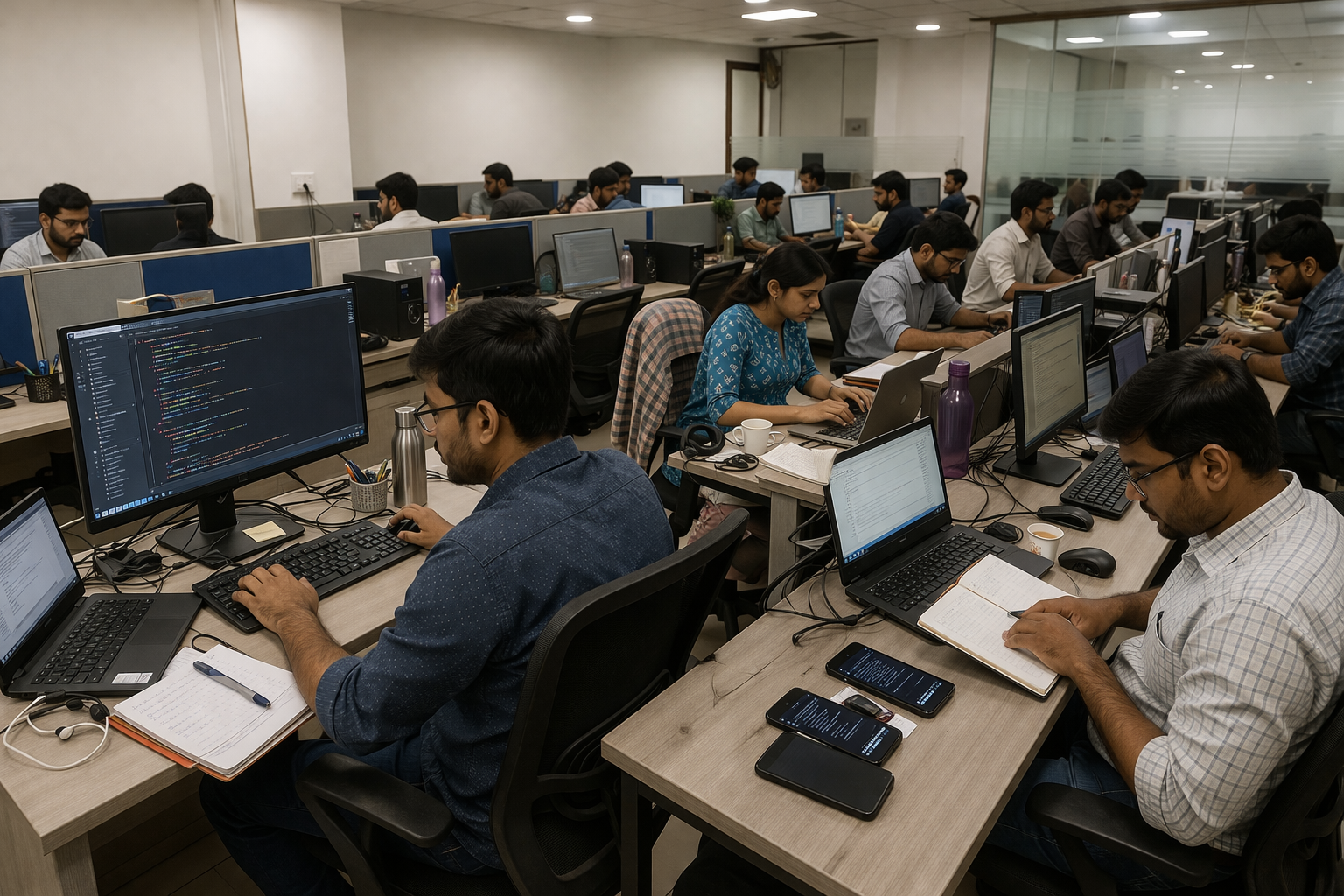


The app worked perfectly during testing. Customer details loaded quickly, inspection forms saved without errors, and everyone on the team was satisfied with the results.
Then the field technicians started using it outside the office.
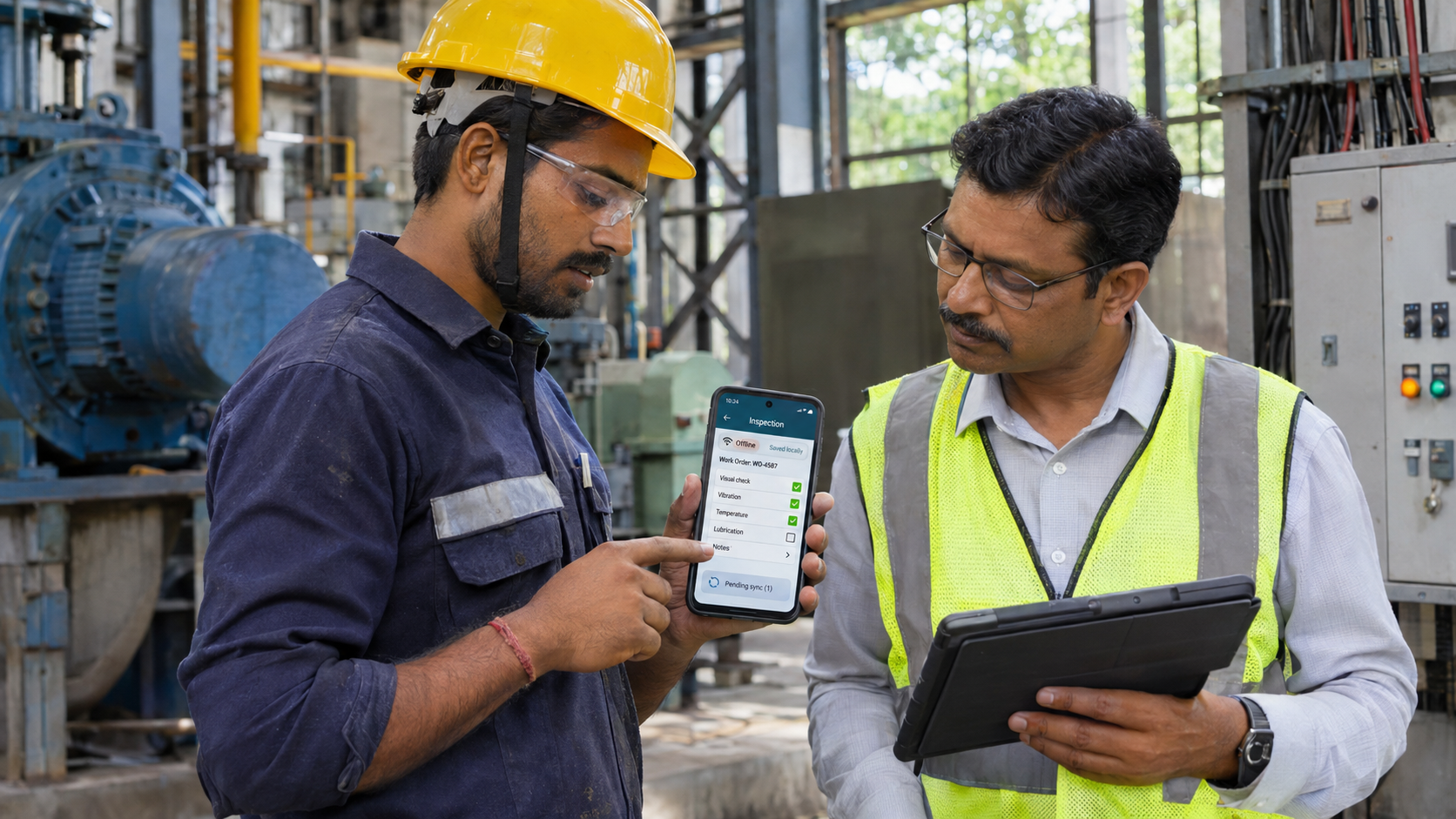
One technician was completing an equipment inspection at a factory when the mobile signal dropped. He had already entered the inspection details and attached several photographs, but the app stopped responding when he tried to save the report.
He wasn't sure whether his work had been saved, so he tried again once the connection returned. By the time the operations team checked the system, two inspection reports had been created for the same job.
The application had passed its functional tests, but those tests hadn't covered an important part of the user's working environment: unreliable connectivity.
This is a hypothetical scenario used to explain a mobile application design challenge, not a verified Aquarious client incident.
For businesses developing mobile applications used outside controlled environments, network interruptions deserve attention long before launch.
An offline-first mobile application is designed to keep essential information accessible and selected tasks usable when the internet connection becomes slow, unstable or unavailable. Depending on the application's requirements, users may be able to read locally stored information, save unfinished work and synchronize changes when connectivity returns.
Not every feature needs to work offline. What matters is protecting the activities users cannot afford to lose halfway through.
The App Passed Testing. Why Did It Fail in the Field?
A mobile application may perform well on office Wi-Fi but behave very differently inside a factory, a warehouse or a customer's premises.
The difference isn't always a complete loss of connectivity. A technician might have enough signal to open a screen but not enough to upload several photographs. A sales representative could begin submitting an order just as the connection drops, leaving the app uncertain whether the server received it.
These interruptions can create problems that are easy to miss during ordinary testing.
For the field-service company, the technician's inspection report contains equipment readings, maintenance observations and supporting photographs. If the app loses that information, the employee may need to repeat the inspection or reconstruct the findings later.
Some users respond by taking screenshots, keeping separate notes or returning to paper forms. Those workarounds may help them finish the visit, but they create additional work and make the company's records harder to maintain.
The development team therefore needs to understand where the application will be used and which tasks must continue when the network becomes unreliable.
That decision should influence the architecture, not merely the error message shown when a request fails.
Decide Which Mobile App Features Actually Need Offline Support
Offline-first development doesn't mean copying an entire application onto a mobile device.
A field-service app might need to display assigned work orders, equipment information and inspection forms without internet access. It may also need to save notes and photographs until the connection returns.
However, other activities may depend on live server information.
For example, confirming an inventory reservation could require checking whether the stock is still available. Final approval of a service request may depend on a status change made by the operations team.
Those operations cannot always be completed safely using information stored earlier on the phone.
Google's Android offline-first architecture guidance distinguishes different approaches to offline reads and writes. Some applications need locally available information but do not need to support every type of offline update.
For the inspection app, the team might allow technicians to complete their reports offline while requiring server confirmation before closing the work order.
This keeps offline functionality aligned with the business process rather than treating it as an all-or-nothing feature.
Local Storage Should Protect the Work Users Have Already Done
At the beginning of the day, the technician opens the application while connected to the internet.
The app downloads the assigned service requests and relevant equipment details. When the technician reaches the factory, the required information is already available on the phone.
Even if the network disappears, the inspection can begin.
This is one of the practical advantages of local data storage. The application can read previously downloaded information without making a fresh server request for every screen.
However, there is a difference between keeping information available for faster loading and preserving work that must not be lost.
A temporary cache may be suitable for recently viewed reference material. A completed inspection form needs more durable storage because the employee expects it to remain available even if the app closes unexpectedly.
The application should preserve relevant changes through interruptions and restarts, using storage appropriate for the importance of the records.
It should also avoid storing unnecessary information.
A technician may need access to assigned inspections, but that doesn't mean every customer record should be downloaded onto the device. Sensitive information requires appropriate protection, including access controls, suitable encryption and policies for what happens when a user signs out or loses the phone.
The amount of information stored offline should reflect the user's real requirements and the organisation's security responsibilities.
The Inspection Is Saved, but Has the Office Received It?
The technician finishes the inspection without an internet connection and presses Save.
In an offline-capable application, the report can be preserved locally rather than discarded because the server is unreachable.
The interface should explain exactly what happened.
A message such as “Inspection saved on this device. Waiting to sync.” gives the technician useful reassurance without suggesting that the central system has already received the report.
The app can then preserve the pending submission for processing when a suitable connection becomes available.
Following an Inspection From Offline to Synced
| Application status | What's happening | What the technician understands |
|---|---|---|
| Draft | Inspection is being completed | Work is still in progress |
| Saved locally | Information is stored on the phone | The report is preserved on the device |
| Waiting to sync | Submission is queued | The office hasn't received it yet |
| Syncing | The app is attempting to upload | Transfer is in progress |
| Synced | The server has confirmed the operation | The report has been received |
| Needs attention | A conflict or validation error occurred | Further action is required |
These distinctions are especially important when employees complete several tasks before returning to reliable coverage.
If the application treats locally saved work as fully submitted, the operations team may believe an inspection is available when it has never reached the server.
The interface should reflect the actual state of the report and allow users to identify pending or failed submissions without entering the information again.
When the Connection Returns, the App Must Know What Was Already Submitted
The technician's report is waiting to upload.
A few minutes later, the phone reconnects, and the app sends the inspection to the company's server. The server accepts the report and creates the record.
Unfortunately, the mobile connection disappears before the server's confirmation reaches the phone.
From the application's perspective, the submission may still appear unfinished, even though the report already exists in the central system.
If the app blindly sends the same information again, the operations team could end up with duplicate inspection records.
This is why important pending actions need a reliable way to be identified and retried.
A unique operation identifier can help the server recognise a submission that it has already processed. The backend must also enforce the corresponding duplicate-prevention rules so that repeated requests do not create additional transactions.
This is known as idempotent processing.
For the inspection app, the expected result is straightforward: submitting the same inspection operation more than once should still create only one inspection record.
That principle also matters in mobile applications used for sales orders, delivery confirmations and other business transactions where duplicate processing can create operational or financial problems.
Two People Updated the Same Work Order. What Happens Now?
Preventing duplicate submissions addresses one failure scenario, but synchronization introduces another challenge.
Imagine the technician updates a work order while offline, recording that the inspection is complete.
At the same time, the operations manager changes that work order from the office, adding a note that another inspection is required.
When connectivity returns, the mobile app and the central system contain different versions of the record.
If the application simply replaces the server's information with its older offline copy, the manager's changes may disappear.
The development team needs a conflict-resolution approach that reflects the business process.
For some information, accepting the latest eligible update may be reasonable. For other records, the system should preserve changes separately or require server validation before accepting a new status.
Choosing a Conflict-Resolution Approach
| Record type | Possible approach | Business reason |
|---|---|---|
| Noncritical display preference | Last eligible update may be accepted | Low risk if the preference changes |
| Inspection observations | Preserve separate entries or history | Prevent loss of recorded findings |
| Equipment status | Validate against the current server state | Avoid invalid workflow transitions |
| Inventory reservation | Require server confirmation | Prevent conflicting stock commitments |
| Inspection submission | Use an idempotent operation identifier | Prevent duplicate records |
In the field-service application, a technician's observations may remain valid even when the office updates the work order.
However, the technician's attempt to mark the work order as complete may need additional review if the server has already moved it into another stage.
The app should explain the conflict and preserve relevant work instead of silently choosing one version.
A reliable synchronization process must protect the meaning of the business records, not simply transfer whichever data was edited most recently.
Background Syncing Has Its Own Limitations
Employees don't always leave the application open while waiting for a report to upload.
After completing an inspection, the technician may lock the phone, take a call or move to another application.
The pending report still needs to reach the server, but Android and iOS control when applications can perform background work.
Android provides WorkManager for persistent scheduled operations, including tasks that depend on network availability.
Apple's Background Tasks framework provides supported mechanisms for certain background activities on iOS.
Neither platform guarantees that a queued operation will run immediately after connectivity returns.
Battery conditions, operating-system scheduling and application state can delay background processing.
For this reason, pending information must remain stored safely until the app has another opportunity to synchronize.
Where appropriate, users should also have a clear way to check synchronization status or retry a pending operation while the application is open.
The technician shouldn't need to guess whether the report is still on the phone or has reached the office.
Recovery Messages Are Part of the User Experience
Technical error handling often receives less attention than the main application screens.
Yet when employees work with unreliable networks, recovery messages can determine whether they trust the application.
A generic “Something went wrong” message doesn't tell the technician whether the inspection was saved or whether the entire form needs to be completed again.
Likewise, displaying “Submitted successfully” before the server confirms receipt can create false confidence.
A better approach is to communicate the actual state of the information.
If the inspection is saved locally, the app should say so. If photographs are still uploading, users should be able to see that the submission is pending. If a work-order conflict prevents completion, the interface should explain what needs attention.
The app should also preserve unfinished work when a user must correct a rejected field or resolve a conflict.
These details may seem minor during design reviews, but they become important when employees depend on the application to complete several jobs in a day.
The Offline-Readiness Scorecard
Before launching a mobile app, the development team should test how its essential workflows respond to slow networks, complete disconnections and interrupted synchronization.
The following scorecard connects each requirement to observable behaviour.
| Readiness area | Practical acceptance test | Expected result |
|---|---|---|
| Offline access | Open an assigned work order without internet | Required information remains available |
| Durable saving | Save an inspection offline, close and reopen the app | Entered information is preserved |
| Pending operations | Complete several inspections offline | Each submission remains queued correctly |
| Duplicate prevention | Retry an operation after the server accepts it but confirmation is lost | Only one record is created |
| Attachment recovery | Disconnect during photograph upload | The report is preserved and transfer can recover |
| Conflict handling | Edit the same work order from two devices | Defined business rules are applied |
| Background processing | Close the app with pending work | Synchronization resumes when execution is permitted |
| User feedback | Compare locally saved and server-confirmed reports | The correct status appears |
| Local security | Sign out with protected records stored | Approved access and removal rules are followed |
| Error handling | Trigger a server-side validation failure | The user can understand and resolve the issue |
Each requirement can be marked Ready, Partially Ready or Not Ready, supported by actual test evidence and an assigned owner.
This is a practical development assessment, not an official certification.
For the field-service company, preserving inspection data and preventing duplicate submissions are likely to be essential requirements.
An application designed mainly for reading content may need a different level of offline support.
The scorecard should reflect the business impact of failure rather than assume that every feature deserves the same technical solution.
Test the Network Problems That Usually Appear After Launch
A successful test with airplane mode enabled is useful, but it doesn't cover every connectivity problem.
In real working environments, a connection may be slow enough to cause timeouts without disappearing completely.
A photograph may upload partially. The app may reconnect long enough to send a request but disconnect before receiving the response.
These situations can create problems that are difficult to detect when testing only on stable Wi-Fi.
For the inspection workflow, the team should deliberately interrupt connectivity while saving a form, uploading attachments and receiving server confirmation.
The application should also be tested after an unexpected restart, with limited device storage and when another user changes the same business record.
Testing should verify both the mobile interface and the central system.
A screen may display a reassuring message even though the backend has created duplicate records or failed to save an attachment.
The purpose of testing is to establish that the user's work is preserved and the business records remain consistent throughout the interruption and recovery process.
Planning Offline Functionality During Mobile Application Development
Offline functionality is easier to manage when it is discussed during the initial planning of a mobile application rather than introduced after the product has been developed.
A business commissioning an Android, iOS or cross-platform app should first identify where people will use it and what happens if connectivity disappears during an important task.
For example, a field-service application may need to preserve inspection records, while a sales-order app may need to queue orders without submitting them twice.
These requirements influence local storage, API design, synchronization and testing. They can also affect development time and maintenance costs, which is why the project scope should make them clear before implementation begins.
Although Android and iOS offer different background-processing capabilities, neither platform guarantees that an interrupted upload will resume immediately. The architecture must account for those operating-system limitations.
For businesses evaluating mobile app development agencies, offline support is a useful example of why technical planning matters as much as interface design.
A development partner should be able to explain which tasks will remain available offline, how pending records will be protected and what evidence will demonstrate successful recovery.
Aquarious Technology's mobile app development and architecture services provide a relevant starting point for businesses planning custom Android, iOS and cross-platform applications, including projects that need careful handling of network interruptions.
When comparing a mobile app development company in Kolkata, it is worth asking how the proposed application will perform beyond the office's Wi-Fi connection.
A useful development proposal should include realistic test conditions, data-recovery requirements and acceptance criteria rather than assuming that users will always have reliable internet access.
Frequently Asked Questions About Offline-First Mobile App Development
Yes. A mobile application can support selected functions without internet when it has suitable offline capabilities. Users may be able to access previously downloaded information, complete forms and save changes locally. However, features requiring live server validation may remain unavailable until connectivity returns. The level of offline support should depend on the application's business requirements.
Offline-first development prioritises essential workflows that must remain usable when connectivity is unreliable. It typically involves decisions about local storage, pending actions, synchronization and recovery. A conventional online-dependent app may require a live server connection for most activities. Offline-first applications can offer better continuity under poor network conditions, although they may require additional engineering and testing.
Developers can assign unique identifiers to important operations and implement idempotent processing on the server. When the application retries an operation after an interrupted connection, the backend can recognise whether it has already been completed. This helps prevent duplicate inspection reports, orders or other transactions. The interface should also distinguish locally saved work from server-confirmed submissions.
It can increase development effort because offline support may require persistent local storage, synchronization logic, conflict handling, security controls and additional testing. However, the impact depends on the complexity of the app and how many workflows need to continue without connectivity. Businesses can control the scope by prioritising essential tasks rather than attempting to make every feature work offline.
Businesses should evaluate the company's technical capabilities, relevant project experience, development approach, testing practices and post-launch support. For applications used in the field, it is also useful to examine how the proposed system handles weak networks, offline data storage and failed submissions. A development partner should be able to explain the application's limitations and demonstrate how critical workflows recover after connectivity returns.
Build for the Connection Your Users Actually Have
The technician in our example didn't need another feature added to the dashboard. He needed confidence that the inspection report would remain safe when the mobile signal disappeared.
That confidence depends on several decisions working together.
The app must preserve important information locally, distinguish unfinished submissions from confirmed records and retry pending operations without creating duplicates.
It must also handle conflicting updates safely and communicate clearly when something requires the user's attention.
Not every mobile application needs to work entirely offline, but the features people depend on should be designed for the conditions in which they will actually use them.
A product that works well only on perfect Wi-Fi may look impressive during a demonstration but still create problems in daily operations.
The real test of a reliable mobile app isn't how quickly it works in the office. It's whether users can trust it when the connection becomes unpredictable.