



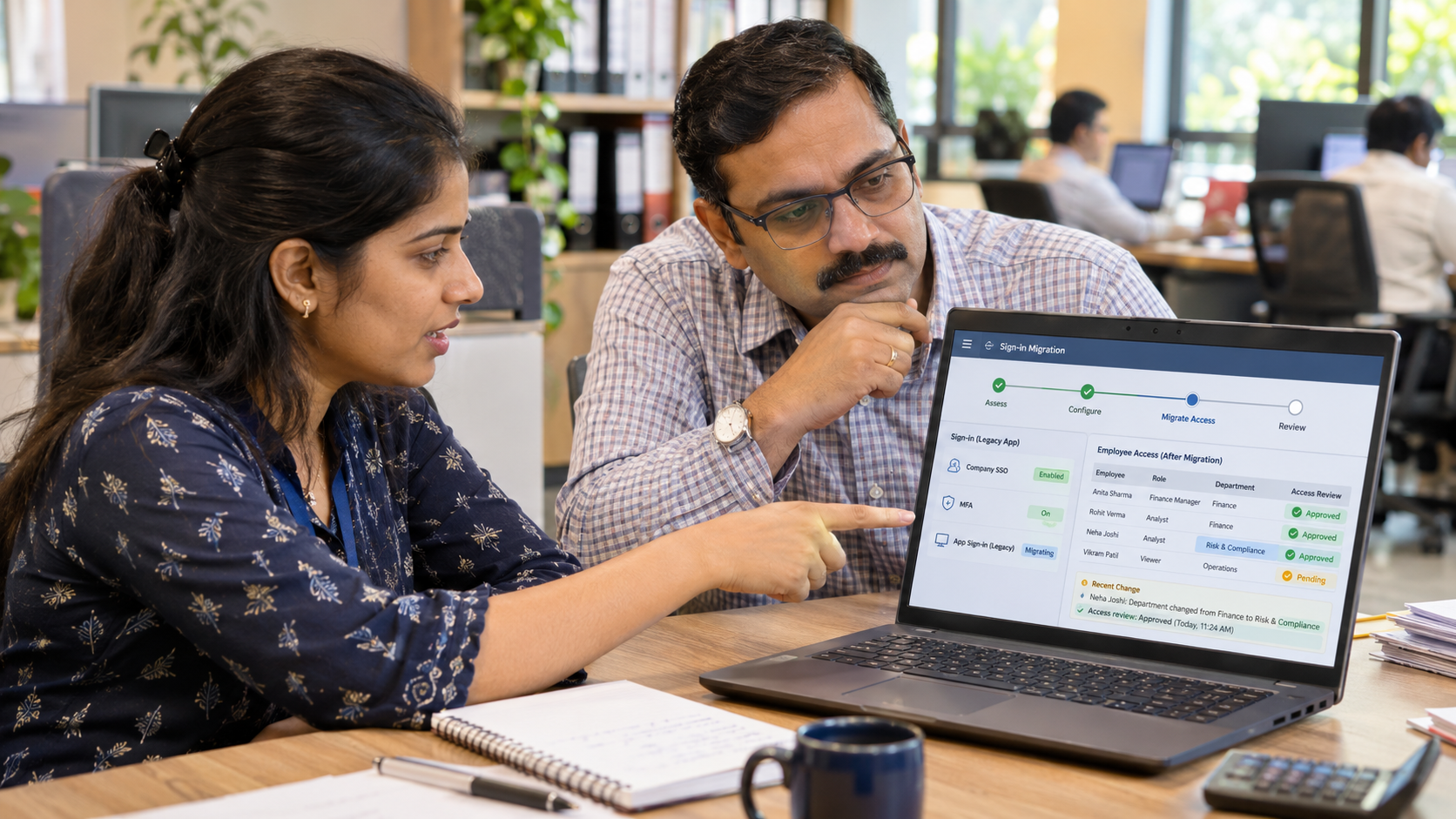

The company's finance application has been working reliably for years. Employees use it to review payments, approve transactions and prepare monthly reports. It isn't particularly modern, and the interface could be better, but the software handles important work without causing major operational problems.
Then an employee moves from Finance to Operations.
The IT team updates the employee's central company account. The person's new responsibilities no longer require access to sensitive financial records, so the old permissions should be withdrawn.
But the finance application has its own login system, separate from the company's other software. Its user records haven't been updated, and the employee can still access information connected to the previous role.
The application isn't failing to process transactions. It is failing to reflect the company's current access rules.
Management wants a central login system, stronger account protection and a simpler way to manage employees who join, leave or change departments. Rebuilding the entire application, however, could involve months of development, retesting and disruption to existing workflows.
Application modernization can allow an organization to upgrade an older application's authentication and access controls without replacing all its working business functions. The practical approach depends on how the existing login system connects to user records, permissions, sessions and other application components.
The objective should be to correct the access problem without introducing unnecessary changes elsewhere.
The company and employee-access scenario throughout this article are hypothetical examples. They are not presented as verified Aquarious Technology project experience.
The Real Problem May Not Be the Old Software
When an application has been in use for a decade or more, replacing it can seem like the natural response to almost any technical limitation.
But software age alone doesn't explain whether a rebuild is necessary.
The finance application still processes its core transactions correctly. Employees understand its workflows, and important business rules have been developed around how the organization operates.
The weaknesses are concentrated elsewhere.
Its authentication system maintains a separate set of passwords. Its account records don't consistently reflect employee changes, and permissions are tied to historical department settings.
The development team therefore needs to understand which parts of the system can remain and which must be changed.
This is the first meaningful decision in the modernization project.
If the existing business logic is reliable, a focused authentication upgrade may be more practical than replacing the full application. If authentication and permissions are deeply embedded throughout the code, the team may need to refactor some components before a modern identity system can be introduced safely.
The answer comes from examining dependencies, not simply choosing the newest technology.
The Employee Has Changed Departments. Why Can They Still See Finance Records?
The IT team begins by tracing how the old application identifies users.
It discovers that employee accounts are linked to internal user IDs. Department permissions are stored in separate database records, and certain approval rights depend on settings that were added during earlier software updates.
When someone signs in, the application creates a session and loads the permissions associated with that account.
This explains why the employee still has access to financial information.
The central company directory reflects the new job role, but the finance application continues relying on outdated internal permission records.
Changing the login page alone won't solve that problem.
Authentication and Authorization Are Two Different Responsibilities
Authentication establishes who a user is. Authorization determines what the user is permitted to access or do.
A successful login should not automatically provide permission to every record or function within an application.
For example, an operations manager may be allowed to view outstanding purchase orders but not approve payments.
A finance manager may approve transactions within a defined amount, while higher-value approvals require another authorized person.
These business rules need to remain effective even when the company moves to a central login system.
The OWASP Authentication Cheat Sheet explains relevant authentication practices and the security requirements surrounding account access.
For this finance application, the immediate priority is to identify where identities and permissions are stored, how they are updated and which system should become responsible for each decision.
Only then can the team design a reliable replacement for the old login process.
One Company Login Could Simplify Access, but It Won't Fix Every Permission
The business already uses a central identity system for several newer applications.
Employees sign in through their company accounts, and IT can apply consistent authentication requirements across supported systems.
The finance application is the exception.
Staff must remember a separate password, while administrators maintain accounts through the application's own settings.
Single sign-on, commonly called SSO, may help address this arrangement.
SSO allows compatible applications to rely on an identity provider for authentication rather than independently managing every employee's login credentials.
For the company, that could mean employees use their centrally managed identity to access the finance application.
IT would also have a more consistent starting point for managing account access.
However, SSO does not automatically replace the application's business permissions.
The finance software may still need to determine whether a particular employee can approve payments, view confidential reports or manage supplier information.
The Identity Provider and the Application Need Clear Responsibilities
An identity provider can authenticate employees and supply information about their identity.
The application then uses that information to establish the correct account and enforce the permissions required for its business functions.
Depending on the system, this may involve OpenID Connect, SAML or another supported integration method.
Some legacy applications can adopt a modern authentication mechanism with limited changes. Others rely on custom account structures or older protocols that require additional engineering work.
The development team must examine how the application currently trusts login information before selecting an integration approach.
A successful connection to the identity provider is only the beginning. The application must still associate the authenticated employee with the correct account and permissions.
Can the Company Add Modern Login Security Without Rewriting Everything?
In some cases, yes. A legacy application may be able to use an identity-aware gateway, an authentication adapter or a targeted update to its login component.
This can allow the organization to introduce stronger authentication while preserving the application processes employees already depend on.
Microsoft documents secure hybrid access approaches for legacy applications, including supported ways to connect certain existing applications with Microsoft Entra ID.
Those approaches can be useful when the existing software doesn't support modern authentication directly.
However, an authentication gateway isn't an automatic solution to every legacy security problem.
Consider an old application that accepts login requests through two different addresses.
If the company protects only one route through its new identity system, users may still be able to reach the older authentication endpoint.
That could undermine the intended security improvement.
The team must identify all relevant access paths, establish how trusted identity information reaches the application and verify that the new controls cannot be bypassed through an older route.
When authentication is deeply embedded in business code, targeted refactoring may be necessary.
The modernization scope should follow the actual architecture rather than assuming that adding a gateway or replacing a login screen is always enough.
Stronger Login Protection Also Needs Better Account Recovery
The company's security policy requires multi-factor authentication, or MFA, for sensitive business applications.
MFA requires more than one authentication factor, making it harder for an unauthorized person to access an account using only a compromised password.
The appropriate methods depend on the organization's risk requirements.
For example, some implementations use security keys or passkeys that support phishing-resistant authentication, while others rely on less resistant methods such as manually entered one-time codes.
The NIST Digital Identity Guidelines provide guidance on authentication assurance and the characteristics of different authentication methods.
For the finance application, stronger sign-in protection is relevant because users can access sensitive records and initiate important business transactions.
But MFA alone cannot correct inaccurate account permissions.
The employee who changed departments might still have excessive access even after completing a stronger login process.
The company also needs a secure recovery arrangement. Employees can lose devices or become unable to use their usual authentication method.
Recovery procedures should restore legitimate access without allowing an unauthorized person to take control of the account.
That responsibility must be planned alongside the login upgrade, not improvised after employees begin encountering access problems.
The Most Easily Missed Problem: Old Sessions May Still Be Active
The development team completes an initial SSO integration.
A test employee signs in through the central identity provider and reaches the finance dashboard.
Everything appears to work.
Then an administrator disables the employee's account as part of the migration test.
A new login attempt is rejected, but an existing browser session can still access the application under its current session rules.
This creates another important question.
Should a disabled account immediately lose every active session, or is there an established revocation process that takes effect under defined conditions?
The answer must follow the organization's access policy and the technical capabilities of the application.
Why Session Management Matters During Modernization
A session allows an application to recognize a user after authentication without requiring a new login for every action.
These sessions are managed through their own credentials and lifecycle rules.
Introducing a new identity provider doesn't necessarily invalidate sessions created through the older login system.
The development team must decide how existing sessions will expire, when reauthentication is required and how account deactivation affects access.
The OWASP Session Management Cheat Sheet explains secure session lifecycle practices and the relationship between authentication, access control and active sessions.
For the finance application, the migration plan needs to address sessions already in use when the new authentication process becomes active.
Employees performing legitimate work shouldn't be interrupted unexpectedly where that can be avoided. At the same time, sessions must not continue providing access beyond the limits established by the new security policy.
This is why testing only the new login screen provides an incomplete picture of modernization readiness.
Moving Employee Accounts Without Moving Their Old Mistakes
The team now faces a different migration challenge.
The old application identifies employees through internal numerical IDs. The central identity platform uses its own stable identifiers.
If the development team connects accounts using only email addresses, changes in usernames or historical account records may create ambiguous matches.
The migration needs a reliable method for associating each existing application user with the correct central identity.
Inactive accounts also require review.
An account that hasn't been used for several years may belong to a former employee, an administrative process or a service integration.
Those cases shouldn't automatically be migrated as ordinary employee accounts.
Permissions Need Their Own Review
The finance application has several employee roles, but some permissions are more detailed than the role names suggest.
An accounts executive may prepare payment records. A finance manager can approve certain amounts, and a senior administrator may have additional responsibilities.
Simply copying the label “Manager” into the new identity system could grant broader permissions than intended.
The development team should map existing roles to approved business responsibilities and identify exceptions requiring review.
For the employee who moved to Operations, the expected result is clear: the new identity should connect to the correct account, and the old financial permissions should no longer remain available.
This is a business acceptance requirement, not merely a technical configuration.
The organization should know which department approves role changes and who is responsible for keeping the application permissions synchronized after migration.
The Identity Modernization Roadmap
The company doesn't need to move every employee to the new login system on the same day.
A phased rollout can help the team identify unexpected dependencies while limiting disruption.
However, the stages must be defined carefully so that temporary arrangements don't create new authentication bypasses or inconsistent permissions.
The following framework provides a practical sequence for assessing and implementing the change.
| Migration stage | What the team must establish | Evidence of readiness |
|---|---|---|
| 1. Discover existing access | Where logins, sessions and permissions are managed | Current identity and access map |
| 2. Choose the integration approach | Whether SSO, an adapter, gateway or targeted refactoring is appropriate | Reviewed technical architecture |
| 3. Match employee identities | How existing accounts map to central identities | Verified user mapping and exception report |
| 4. Review business permissions | Which users can view, edit and approve specific records | Approved role and permission matrix |
| 5. Introduce MFA and recovery | How authentication and recovery policies are enforced | Authentication and recovery test results |
| 6. Pilot with real workflows | Whether selected employees can complete authorized work | Business-user acceptance evidence |
| 7. Plan cutover and rollback | How users move and which old access routes are retired | Documented migration and recovery plan |
| 8. Verify after release | Whether identities, permissions and sessions behave correctly | Post-migration access and security review |
This roadmap is an original planning framework for the article. It is not a formal identity-security certification or a substitute for a project-specific architecture assessment.
A good migration plan should also record who owns each stage.
IT may control the identity platform, but Finance needs to confirm which payment approvals are appropriate. The development team must validate how those decisions are enforced within the application.
Modernization becomes safer when technical ownership and business authorization are both explicit.
The Pilot Should Test the Employee's Old Access, Not Just the New Login
The company begins with a small group of employees from Finance and Operations.
The pilot includes people with ordinary access, managerial responsibilities and restricted administrative functions.
The team also includes the employee who recently changed departments.
That employee signs in successfully using the new company account.
The application must now recognize the employee's current responsibilities rather than loading the historical Finance permissions.
This is the moment when the team can establish whether the modernization has addressed the original problem.
A useful acceptance test checks what employees can no longer do, as well as what they can still do.
Practical Identity Migration Acceptance Tests
| Test | Expected result |
|---|---|
| Employee signs in through the new SSO process | Correct application account is loaded |
| Employee moves from Finance to Operations | Outdated financial permissions are removed |
| Ordinary employee attempts a restricted approval | Operation is rejected |
| Disabled employee attempts a new login | Access is denied |
| Previously active session reaches a revocation condition | Session follows the approved invalidation policy |
| Employee tries an old login endpoint | Unapproved access path cannot bypass new controls |
| Required MFA is not completed | Protected access is not granted |
| Identity mapping is ambiguous | Access is withheld until the account is resolved |
| Identity provider becomes unavailable | Application follows its tested failure procedure |
| Legitimate Finance manager approves a permitted transaction | Authorized workflow continues correctly |
These tests provide evidence that the new identity arrangement works with the existing business processes.
A test that confirms only successful SSO login would miss several of the most important risks.
The same acceptance criteria should be preserved for later software changes so that newly introduced features don't accidentally restore outdated permissions.
A Full Rebuild May Still Be Necessary in Some Applications
Targeted identity modernization isn't always the best option.
Some applications have authentication and authorization logic scattered across many modules. Others rely on unsupported components, undocumented dependencies or custom session behaviour that is difficult to change safely.
If updating the login system requires extensive modifications throughout the application, the company may need a broader modernization strategy.
That doesn't automatically mean discarding all existing software.
It may be possible to separate the authentication component, refactor tightly coupled modules and preserve valuable business logic.
In other circumstances, a wider rebuild could be justified because the existing architecture makes safe maintenance and integration impractical.
Aquarious's article on when legacy application modernization becomes necessary discusses how businesses can identify constraints that justify a larger modernization programme.
The important decision is whether the proposed changes solve the underlying problem with acceptable risk and maintainability.
For the finance application, replacing the entire system solely because it lacks SSO would be difficult to justify without examining less disruptive alternatives first.
Choosing the Right App Modernization Service in Kolkata
Businesses evaluating an app modernization service in Kolkata should begin by establishing what is actually limiting their current software.
An outdated login system may create account-management and access-control problems, but those problems don't necessarily justify replacing functioning finance, inventory or operational modules.
The most useful service proposal will distinguish between changes that are essential to identity security and improvements that can be considered separately.
A company evaluating legacy application modernization services in Kolkata should ask how the engineering team will handle existing accounts, historical permissions, active sessions and the transition to a modern identity provider.
The proposal should also explain how employees will continue their normal work during the migration.
These requirements matter when comparing broader application modernization services because a project can succeed technically while still creating unnecessary disruption for the people who depend on the software.
For organizations planning modernizing authentication and access in existing business applications, Aquarious Technology's application modernization services offer a relevant starting point for examining legacy system dependencies, refactoring options and phased implementation requirements.
Businesses considering legacy software modernization should also request a clear scope of work, defined acceptance tests and an explanation of how security and compatibility will be maintained after deployment.
A practical assessment should establish which components can remain, which need targeted changes and which limitations may require broader redevelopment.
Better Access Control Doesn't Always Require a New Application
The finance application started with a problem that appeared simple: its login process no longer matched the company's current security requirements.
The deeper investigation showed why the issue couldn't be solved by changing a password screen.
Accounts were connected to historical employee records, business permissions were managed separately, and active sessions continued under rules established by the older system.
Those dependencies determined the modernization approach.
For the business, the objective wasn't to replace software simply because it was old. It was to ensure that employees could continue performing authorized work while the company improved how access was managed.
Effective application modernization preserves useful business functionality while correcting the technical limitations that create security, maintenance or operational problems.
Before committing to a complete rebuild, map the application's existing identity dependencies, verify its permissions and test whether a phased authentication upgrade can meet the organization's requirements.
That evidence will provide a stronger basis for deciding how much of the application genuinely needs to change.